
A great gaming setup needs more than a powerful PC or console. The right accessories can improve comfort, accuracy and the overall gaming experience. A responsive mouse, comfortable headset and reliable keyboard can make a real difference during long gaming sessions.
Whether you are building your first setup or upgrading your current gear, this guide covers the best gaming accessories to consider in 2026. You will also learn which features matter most and how to choose accessories that fit your needs and budget.
How We Chose the Best Gaming Accessories
Not every product marketed as gaming gear offers useful features. To make better choices, focus on these important factors:
Performance: Look for responsive controls, accurate tracking and reliable connections.
Comfort: Choose accessories that remain comfortable during long sessions.
Build quality: Durable materials can help your gear last longer.
Compatibility: Check whether the accessory works with your PC, console or laptop.
Value for money: Compare useful features with the price instead of paying extra for looks alone.
Best Gaming Mice
A gaming mouse should feel comfortable in your hand and respond quickly to your movements. The right choice depends on your grip style, the games you play and your preferred sensitivity.
What to look for:
DPI and sensor quality: Choose a mouse with accurate tracking and adjustable sensitivity.
Weight: Lightweight mice can help with quick movements in competitive shooters.
Wired vs. wireless: Both can work well. A quality wireless gaming mouse can offer low latency without cable clutter.
Programmable buttons: Extra buttons can be useful for MMOs, MOBAs and games with many controls.
Grip style: Consider whether you use a palm, claw or fingertip grip.
For competitive games, prioritize tracking accuracy, comfort and consistent performance over unnecessary features.
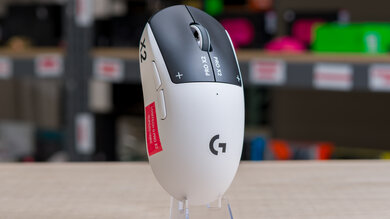
The Best Gaming Mice: Pinpoint Precision for Competitive Play
Whether you prefer ultra-lightweight wireless models or feature-packed budget options, here are the best gaming mice for every hand size and playstyle.
Best Mechanical Keyboards
A mechanical keyboard can provide responsive key presses and a typing feel that suits your gaming style. However, the best keyboard depends on your preferred switches, available desk space and the games you play.
What to look for:
Switch type: Linear switches offer smooth key presses, tactile switches provide a noticeable bump, and clicky switches produce an audible click.
Keyboard layout: Compact 65% and 75% keyboards save space, while full-size models include a number pad.
Anti-ghosting and N-key rollover: These features help register multiple key presses during fast gameplay.
Hot-swappable switches: These allow you to change compatible switches without soldering.
Lighting: RGB lighting is optional and should not take priority over comfort and performance.
A compact keyboard can be a good choice if you need more room for mouse movement, especially in competitive games.
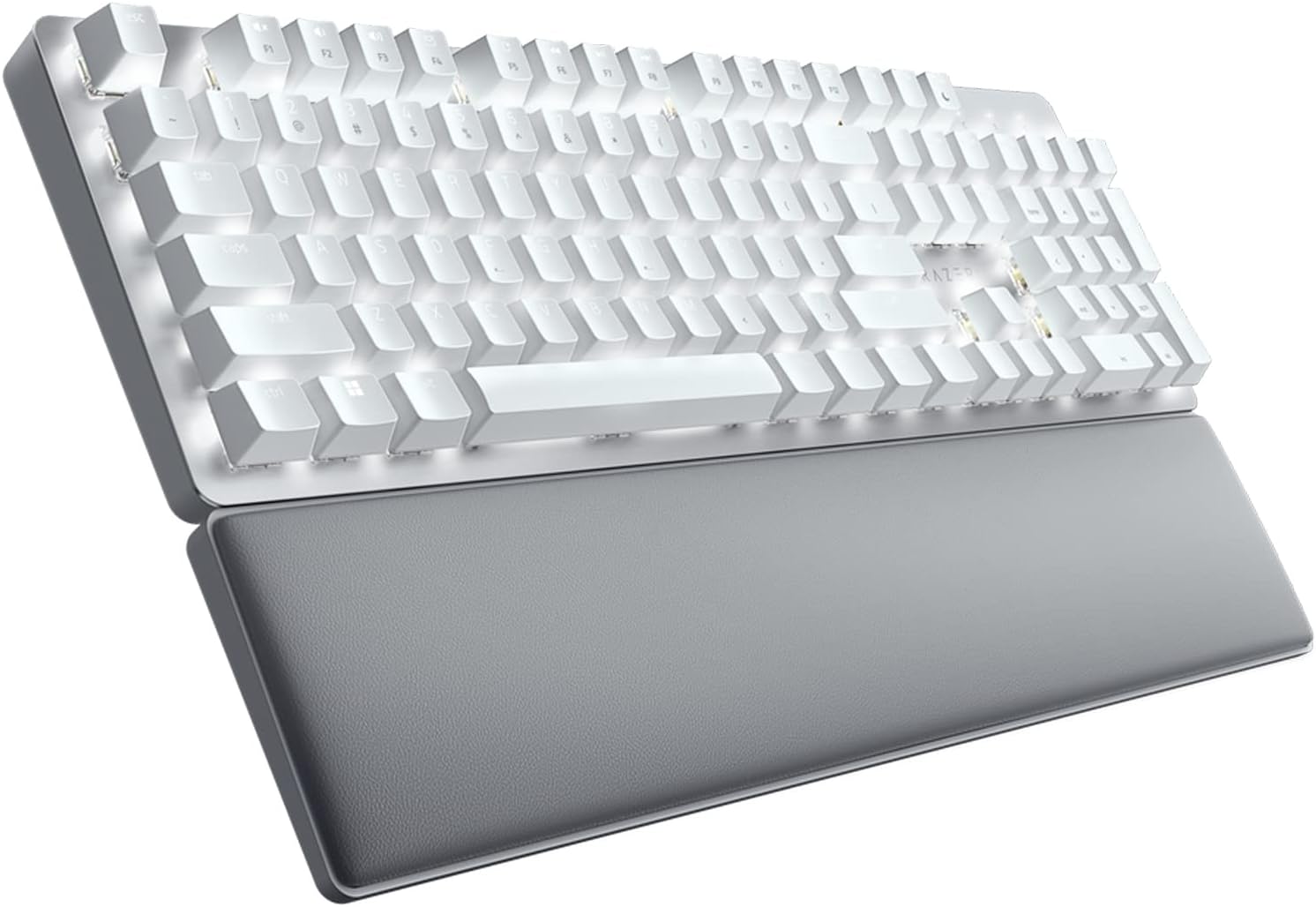
Best Mechanical Keyboards: Speed, Tactility & Customization
Translate every keystroke into instant in-game action with low-latency switches, durable build quality and space-saving layouts.
Best Gaming Headsets
A good gaming headset helps you hear important in-game sounds while communicating clearly with teammates. Comfort matters just as much as sound quality, particularly if you play for several hours.
What to look for:
Audio quality: Clear sound can help you notice footsteps, dialogue and other game effects.
Microphone quality: Choose a headset that makes your voice easy for teammates to understand.
Comfort: Soft ear cushions and an adjustable headband can improve long-session comfort.
Connection: Check whether you need USB, a 3.5 mm audio jack, Bluetooth or a dedicated wireless receiver.
Battery life: For wireless models, compare battery life and charging time.
Closed-back headsets can help reduce outside noise, while open-back designs offer a more open sound but allow sound to escape. Choose according to your environment and preferences.

Best Gaming Headsets: Immersive Audio & Crystal-Clear Comms
Hear every enemy footstep, isolate background noise and stay comfortable through marathon sessions with top spatial-audio headsets.
Best Gaming Monitors
A gaming monitor affects how smooth your games look and how quickly you can react to on-screen action. The right display depends on your gaming style, budget and the performance your PC or console can deliver.
What to look for:
Refresh rate: A 144Hz or 165Hz monitor can provide smoother motion than a standard 60Hz display when your system can deliver the required frame rates.
Resolution: Full HD can be a practical budget choice, while QHD offers a sharper image. Consider 4K if image detail is a priority and your hardware can support it.
Response time: A fast response time can help reduce visible motion blur.
Panel type: Compare image quality, viewing angles, contrast and response performance.
Connectivity: Check that the monitor has the ports needed for your PC or console.
Competitive players may prefer a high-refresh-rate display, while players who value detailed visuals may prefer a higher-resolution screen. Balance both with your available budget.
Best Gaming Mouse Pads
A gaming mouse pad gives your mouse a consistent surface for tracking and movement. It can be especially useful if your desk surface is uneven or you need more room for low-sensitivity aiming.
What to look for:
Size: Choose a pad that gives you enough room for your usual mouse movements.
Surface: Cloth surfaces often provide controlled movement, while harder surfaces can offer a different glide feel.
Base: A non-slip rubber base helps keep the pad in place.
Durability: Look for edges and materials that can handle regular use.
A large mouse pad can be useful for FPS players who make wide arm movements. You do not need an expensive model if a simple pad meets your needs.
Best Gaming Controllers for PC and Console
A gaming controller is useful for racing games, sports titles, platformers and other games designed around controller input. It can also provide a more comfortable option for players who prefer sitting back from their screen.
What to look for:
Compatibility: Confirm support for your PC, console or operating system.
Connection: Choose wired or wireless connectivity based on your preferences.
Comfort: Check the grip, button placement and overall shape.
Battery life: Wireless controllers should offer enough playtime for your usual sessions.
Extra controls: Back buttons and customizable controls can be helpful, but they are not essential for everyone.
Before buying, verify compatibility with the specific games and devices you plan to use.
Gaming Chairs and Desk Comfort
Gaming accessories are not limited to devices you hold in your hands. Your chair, desk height and sitting position also affect how comfortable your setup feels.
What to look for:
Adjustable chair height: Your feet should rest comfortably on the floor or a suitable footrest.
Back support: Choose a chair that supports a comfortable sitting position.
Desk space: Make sure you have enough room for your keyboard, mouse and monitor.
Monitor placement: Position the screen at a comfortable viewing height and distance.
Cable management: Keep cables organized to reduce clutter around your gaming area.
You do not need a chair with flashy designs or extra RGB lighting. Focus on adjustability, support and a fit that works for your body.
If you want more ideas for organizing your space, explore our guide to Best Desk Setup Gadgets in Product. Many desk organization ideas can also help create a cleaner gaming setup.
How to Choose Gaming Accessories on a Budget
You do not need to buy every accessory at once. Start with the equipment that will make the biggest difference to your gaming experience.
Prioritize your main accessories: Upgrade the mouse, keyboard or headset that causes the most problems.
Compare features, not just prices: A high DPI number or extra RGB lighting does not automatically mean better performance.
Check compatibility: Make sure your accessories work with your PC, console or laptop.
Look for useful bundles: A keyboard and mouse combo can be a practical choice for a new setup.
Focus on comfort: A suitable chair, desk height and enough mouse space can make long gaming sessions more comfortable.
Upgrade gradually: Buy additional accessories when you have a clear need for them.
For more options beyond gaming-specific products, our guide to best Laptop Accesories 2026 covers useful additions for improving a laptop-based setup.
You can also explore the Technology and Gadgets for more technology guides and practical buying advice.
Other Gadgets Worth Considering
Once your main gaming accessories are sorted, you can consider a few optional upgrades based on your setup.
Charging accessories: Useful for keeping wireless controllers and other rechargeable devices ready to use.
Lighting: Desk lighting can improve the atmosphere of your gaming space, although it does not directly improve game performance.
Webcams and microphones: Worth considering if you regularly stream games or join video calls.
Connectivity upgrades: A reliable internet connection can help reduce connection problems during online gaming.
If you enjoy exploring emerging technology, our Best AI Gadges 2026 buying guide offers more ideas for technology enthusiasts. These products are optional extras, so prioritize your core gaming gear first.
Final Thoughts
The best gaming accessories in 2026 are the ones that suit your games, improve comfort and deliver reliable performance for the price. A responsive mouse, a comfortable keyboard and a clear headset are useful starting points, while a suitable monitor, mouse pad or controller can improve your setup further.
You do not need to buy everything at once. Identify what is missing from your current setup, compare the features that matter and upgrade gradually. A well-chosen accessory can be more useful than an expensive product packed with features you rarely use.
Frequently Asked Questions
A: Modern wireless mice and keyboards have largely closed the latency gap with wired options, making wireless a safe choice for most players though top competitive players still often prefer wired for guaranteed zero-latency connections.
A: Most competitive players use lower DPI (400-1600) paired with higher in-game sensitivity for more precise control, though this ultimately comes down to personal preference.
A: Yes proper lumbar support and adjustability reduce fatigue and discomfort during long sessions far more than standard office chairs.
A: Mice and keyboards typically last 3-5 years with regular use; headsets and controllers may need replacement sooner depending on battery health and physical wear.
A: Mid-range accessories often provide 90% of the performance of flagship gear. Premium pricing usually pays for marginal gains, aesthetics or brand-specific ecosystems.