
Introduction
Your desk is where most of your workday actually happens, yet it is often the last thing anyone upgrades. A cluttered setup, a laptop propped on a stack of books, cables tangled under your keyboard — none of it screams "focus." The good news is that a handful of smart, affordable gadgets can completely change how your workspace feels and functions.
Whether you are working from home, running a hybrid schedule or just trying to make your home office less chaotic, 2026's best desk setup gadgets are built to help you work smarter not harder. Below, we have rounded up the tools worth adding to your desk this year — the kind that pay for themselves in saved time and reduced friction.
1. Adjustable Monitor Arms
A cramped, awkwardly angled monitor is one of the fastest ways to end a workday with a stiff neck. An adjustable monitor arm frees up desk space by lifting your screen off the surface entirely, and lets you fine-tune height, tilt and distance to match your posture.
Why it helps productivity: Reduces neck and eye strain during long work sessions and clears desk real estate for notebooks, coffee or a second monitor.
Look for: Gas-spring arms for smooth height adjustment, VESA compatibility and a clamp-or-grommet mount depending on your desk type.

Best Adjustable Monitor Arms for a More Comfortable Workspace
Improve your desk setup with adjustable monitor arms that free up space and let you position your screen at the ideal height angle and distance for a cleaner and more comfortable workspace.
2. Mechanical or Low-Profile Keyboards
Typing speed and comfort add up over an eight-hour day. A quality mechanical keyboard with tactile switches can reduce typos and hand fatigue, while low-profile wireless keyboards suit anyone who prefers a quieter, more minimal desk.
Why it helps productivity: Faster, more accurate typing means fewer interruptions to fix mistakes and ergonomic layouts reduce wrist strain over time.
Look for: Hot-swappable switches if you like to customize feel, multi-device Bluetooth pairing, and a compact layout if desk space is tight.

Best Mechanical and Low-Profile Keyboards for Productive Work
Upgrade your typing experience with mechanical and low-profile keyboards designed for comfort speed and accuracy. Choose from responsive keys compact designs and wireless options to create a cleaner and more efficient workspace.
3. Wireless Charging Docks
Juggling three different cables for your phone, earbuds and watch is a small but constant drain on focus. A multi-device wireless charging dock keeps everything powered in one spot, so you're not hunting for a cable mid-task.
Why it helps productivity: Keeps your phone charged and within reach without cable clutter, and reduces the "where's my charger" interruption loop.
Look for: Multi-device pads that charge a phone, watch and earbuds simultaneously and fast-charging support for your specific devices.

Best Wireless Charging Docks for a Clutter-Free Desk
Keep your phone earbuds and smartwatch powered with a convenient wireless charging dock. Multi-device charging stations reduce cable clutter and keep your essential devices organized and ready throughout the workday.
4. Smart Desk Lamps
Lighting affects focus more than most people realize. Smart desk lamps with adjustable color temperature let you shift from cool, energizing light during deep-work blocks to warmer tones later in the day, easing eye strain as natural light fades.
Why it helps productivity: Reduces eye fatigue during screen-heavy work and helps regulate energy levels throughout the day.
Look for: Adjustable brightness and color temperature, app or touch controls and a built-in ambient light sensor for automatic adjustment.
Best Wireless Charging Docks for a Clutter-Free Desk
Keep your phone earbuds and smartwatch powered with a convenient wireless charging dock. Multi-device charging stations reduce cable clutter and keep your essential devices organized and ready throughout the workday.
5. Cable Management Systems
It's easy to underestimate how much a tangled mess of cords contributes to mental clutter. Under-desk cable trays, clip organizers and sleeve wraps keep power cords and USB cables out of sight and out of the way.
Why it helps productivity: A visually clean desk reduces distraction and makes it faster to plug in or swap devices without digging through a cable nest.
Look for: Adhesive or clamp-mounted trays, reusable velcro ties over one-time zip ties and sleeves sized for your specific cable bundle.

Best Cable Management Systems for a Clean and Organized Desk
Keep your workspace neat with cable management systems designed to organize power cords USB cables and charging wires. Cable trays clips sleeves and ties help reduce clutter and make your desk easier to manage.
6. Docking Stations and USB-C Hubs
If your laptop is your main work machine, a docking station turns it into a full desktop setup with a single cable. Connect monitors, a keyboard, mouse and external drives all at once and unplug in seconds when it is time to head out.
Why it helps productivity: Cuts down setup and teardown time between locations and expands limited laptop ports for multi-monitor work.
Look for: Enough ports for your specific monitor and peripheral setup, sufficient power delivery to charge your laptop and dual-monitor support if you need it.

Best Docking Stations and USB-C Hubs for a More Efficient Workspace
Expand your laptop’s connectivity with docking stations and USB-C hubs that connect monitors keyboards mice storage drives and other peripherals. They simplify your setup while keeping multiple devices connected through fewer cables.
7. Noise-Cancelling Headphones or Desktop Speakers
Whether you work in a shared space, a busy household, or an open office, sound control matters. Noise-cancelling headphones block out distractions during deep-focus work, while a compact desktop speaker setup can help during calls or when you just need a change from earbuds.
Why it helps productivity: Minimizes background noise interruptions and improves call clarity for remote meetings.
Look for: Comfortable fit for all-day wear, reliable microphone quality for calls and battery life that covers a full workday.

Best Noise-Cancelling Headphones and Desktop Speakers for Work
Create a more focused workspace with noise-cancelling headphones or compact desktop speakers. They help reduce distractions improve call quality and provide clear audio for meetings music and everyday computer use.
8. Desktop Organizers and Pen/Device Stands
Not every productivity gadget is high-tech. A well-designed desktop organizer for pens, notebooks, chargers and small tools keeps everything within arm's reach without turning your desk into a junk drawer.
Why it helps productivity: Reduces time spent searching for small items and keeps your workspace visually calm, which supports sustained focus.
Look for: Modular trays you can rearrange, materials that match your desk aesthetic and a footprint that does not eat up too much surface space.
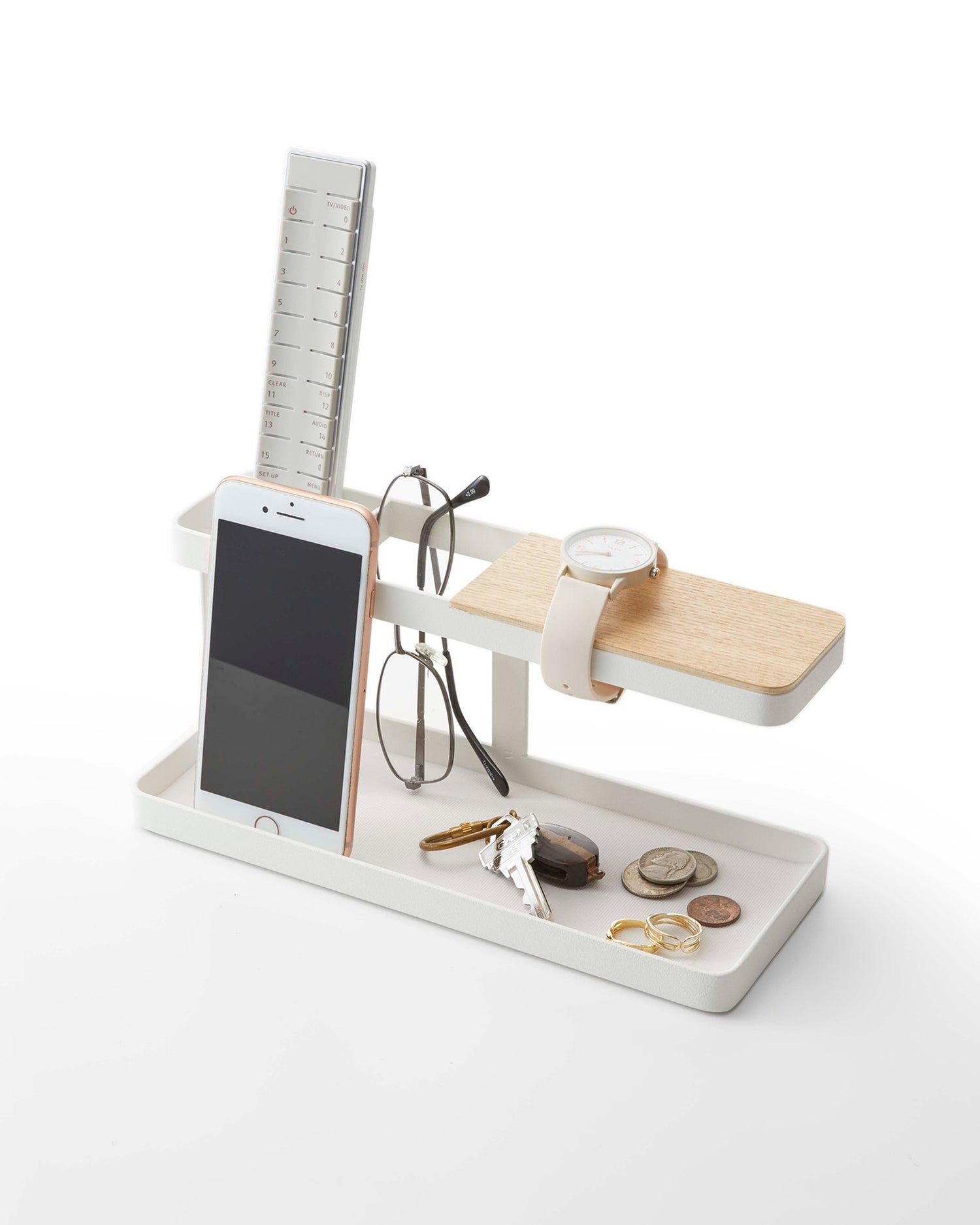
Best Desktop Organizers and Device Stands for a Tidy Workspace
Keep your desk clean and organized with practical desktop organizers and pen or device stands. They provide dedicated spaces for stationery chargers phones and everyday essentials while reducing clutter and keeping everything within easy reach.
9. Portable Monitors
For anyone who splits time between a home office, coffee shop or co-working space, a slim portable monitor adds a second screen wherever you go. Most connect via a single USB-C cable, drawing power directly from your laptop.
Why it helps productivity: Extends your screen real estate on the go, making multitasking and reference-checking far easier outside a fixed desk setup.
Look for: Lightweight builds under two pounds, single-cable USB-C connection and a protective case or built-in stand for travel.

Best Portable Monitors for Productivity On the Go
Boost your screen space wherever you work with lightweight portable monitors. They make multitasking easier by providing an extra display for laptops while offering a convenient setup for home offices travel and coworking spaces.
Final Thoughts
Upgrading your desk setup does not require replacing everything at once. Start with the gadget that solves your biggest daily friction point — whether that's neck strain from a low monitor, a tangle of cables or lighting that leaves your eyes tired by 3 p.m. — and build from there. Small, targeted upgrades to your workspace in 2026 can add up to real gains in focus, comfort and output.
Frequently Asked Questions
A comfortable, well-positioned monitor setup (via a monitor arm) tends to have the biggest impact, since screen position affects both posture and focus throughout the day.
Yes — lighting that is too dim or too harsh contributes to eye strain and fatigue. Adjustable color temperature lamps help match lighting to the task and time of day.
If you regularly move your laptop between locations or need multiple monitors, a docking station saves significant setup time and reduces port limitations.
Under-desk cable trays, clip organizers and velcro ties are inexpensive, effective ways to keep cords contained and out of sight.
A desktop organizer or cable management kit offers a noticeable improvement in workspace clarity for very little cost, making it a good starting point before investing in bigger gadgets.