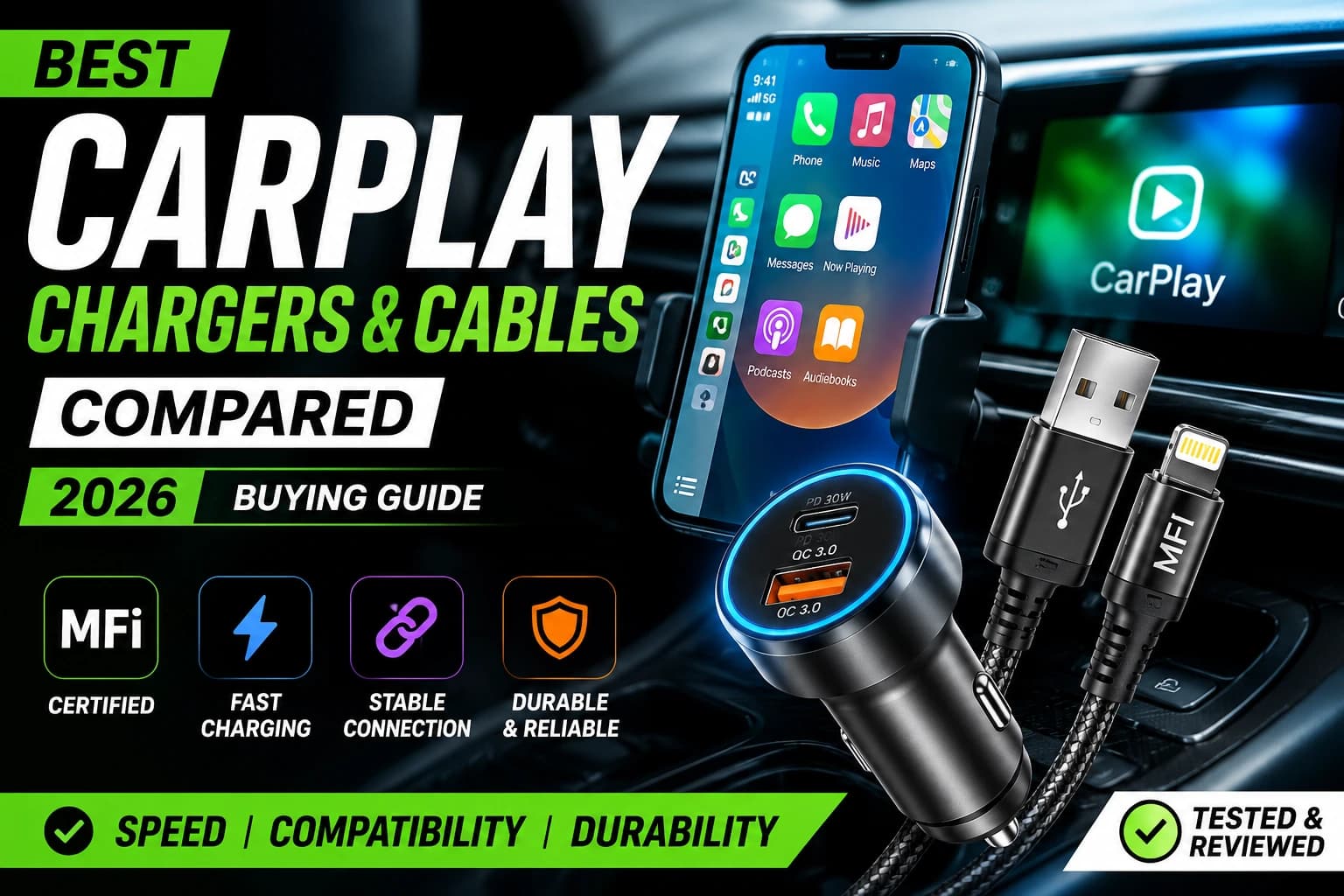
A cable have you buy for cheap price, uncertified cable can bottleneck that connection, causing the actually issues that send people searching for answers: disconnections, lag and slow charging mid-drive.
In this guide we have compared the best CarPlay chargers and cables for 2026. Broken down by charging speed, build quality, compatibility and real-world reliability. So you can stop guessing and start driving with a connection that actually holds up.
Quick Answer: Our Top Picks at a Glance

MFi Certified Powerline USB C to Lightning Cable
You've never felt a cable like this before. The silicone finish feels remarkably soft between your fingers as you plug PowerLine III Flow into your device.
Why Your CarPlay Cable Matters More Than You Think?
CarPlay is not just charging your phone. It is continuously streaming your screen, audio and touch input over the same cable. That means:
MFi certification matters. Apple's "Made for iPhone" (MFi) certification ensures a cable meets the data-transfer standards CarPlay needs. Non-certified cables often work for charging but fail or lag under CarPlay's data demands.
Wattage affects charging speed, not connection stability. A high-wattage charger won't fix disconnection issues if the cable itself is the weak link.
USB-C vs. Lightning depends on your iPhone generation. Newer iPhones (15 and later) use USB-C, while older models still rely on Lightning. Always match your cable to your specific device.
How to Choose the Right CarPlay Charger and Cable
1. Check for MFi Certification
Always confirm MFi certification before buying. This single factor eliminates most CarPlay disconnection and lag complaints.
2. Match Charging Wattage to Your Phone
Most modern iPhones support 20-30W fast charging. Pairing with a charger below that wattage means very slow charging during long drives. Pairing with a much higher wattage charger (like 45-65W GaN chargers) is safe. But only useful if you are also charging a second device.
3. Pick the Right Cable Length
2-3 ft: Best for cup holder or dashboard mounts
4-6 ft: Best for center console or armrest setups
6+ ft: Best for backseat passengers or SUV/truck cabins
4. Prioritize Braided or Reinforced Cables
Car cables endure more physical stress than household cables. door slams, seat adjustments and heat exposure all shorten lifespan. Braided nylon cables consistently outlast standard rubber-coated ones.
5. Consider Wireless CarPlay Adapters
If cable clutter or wear-and-tear is a recurring frustration. USB-C-powered wireless CarPlay adapters have improved significantly and now offer near-wired performance for most vehicles at a higher upfront cost.
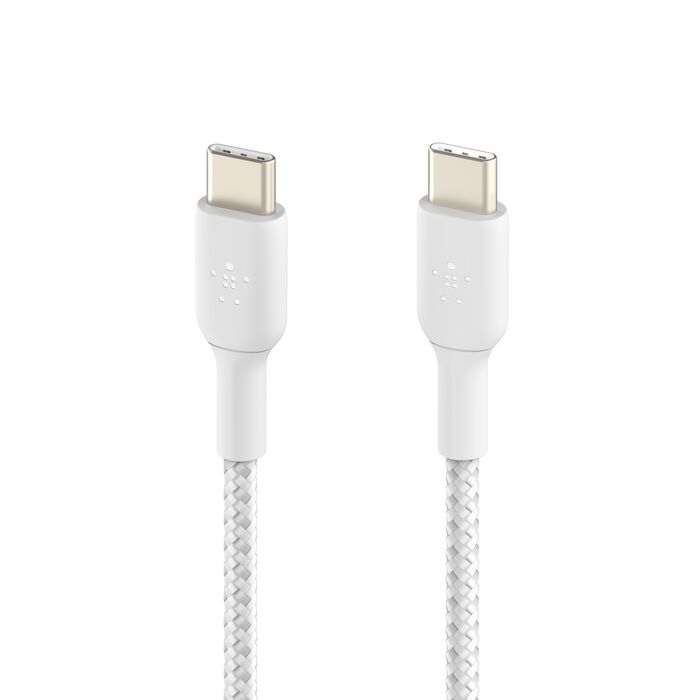
Braided USB-C to USB-C Cable 60W
Stay charged, synced and connected with reliable cables that you can use in your home, car and office.
Top CarPlay Chargers and Cables Compared
Best Overall: MFi-Certified Braided Cable + 30W Car Charger

Car Charger Adapter 37W Dual Port with 3.3ft USB-C Cable Included
Dual port car charger allows for simultaneous charging of two devices.
This combination consistently avoids the two most common CarPlay complaints. First disconnections and slow charging — thanks to full MFi certification and a wattage output matched to modern iPhones.
Pros:
Stable CarPlay connection, no lag
Fast enough charging for daily commutes
Braided design resists wear
Cons:
Slightly higher price point than uncertified alternatives
Best Budget: Standard MFi Cable + Dual-Port USB-C Charger
For drivers who want reliability without paying a premium. Make sure a basic MFi-certified cable paired with a dual-port charger covers the essentials.
Pros:
Affordable
Still MFi-certified (no lag issues)
Dual ports allow charging a passenger's device too
Cons:
Non-braided cable may wear faster over time
Best for Long Cables: 6ft Braided USB-C to Lightning Cable
Ideal for larger vehicles or families who need CarPlay access from the backseat.
Pros:
Reaches almost any seating position
Braided exterior holds up to repeated stretching
Cons:
Longer cables can tangle if not managed with a clip or organizer
Best Fast Charging: GaN 45W Dual-Port Car Charger
For power users who charge a phone and a second device (like a tablet or smartwatch charger) simultaneously without sacrificing speed.
Pros:
Compact GaN design generates less heat
Genuinely fast charging on both ports
Cons:
Overkill if you only ever charge one standard phone
Best Wireless Option: Wireless CarPlay Adapter (USB-C Powered)
For drivers tired of managing cables altogether, modern wireless adapters plug into a USB-C port and beam CarPlay wirelessly with minimal lag.
Pros:
No cable wear-and-tear at all
Cleaner cabin setup
Performance has closed the gap with wired significantly in 2026 models
Cons:
Higher upfront cost than a cable
Still charges slightly slower than a direct wired connection
Best Braided/Durable: Reinforced Nylon-Braided Cable
Built specifically to survive the daily abuse of car use — door closures, seat sliding and heat exposure.
Pros:
Noticeably longer lifespan than standard cables
Reinforced connector joints reduce fraying at stress points
Cons:
Slightly stiffer than standard cables, which some users find less flexible
Wireless CarPlay Adapters vs. Wired: Which Should You Choose?
Verdict: If charging speed and reliability are your top priority wired remains the safer choice. If cabin cleanliness and cable longevity matter more a wireless adapter is a worthwhile investment in 2026.
Troubleshooting: Why Does My CarPlay Keep Disconnecting?
If you're experiencing CarPlay issues, the cable is almost always the first thing to check:
Confirm MFi certification: This resolves the majority of disconnection complaints.
Inspect the cable for physical damage: Frayed or bent connectors disrupt the data signal before they affect charging.
Test with a different cable: If the issue disappears, your original cable was the bottleneck.
Check your car USB port: Some vehicle ports supply data but limited power, causing slow charging even with a good cable.
Update your phone and infotainment software: Occasionally, disconnections stem from software mismatches rather than hardware.
Final Verdict
For most drivers, the safest choice is an MFi-certified braided cable paired with a 30W car charger — it eliminates the disconnection and lag issues that send people searching for "best CarPlay cable" in the first place, while charging fast enough for daily use.
If cable wear or cabin clutter is your bigger frustration, a wireless CarPlay adapter is now a genuinely solid alternative in 2026.
Whichever you choose, prioritize MFi certification above all else — it is the single biggest factor separating a smooth CarPlay experience from a frustrating one.
Related Reading
Anker vs. UGREEN vs. Belkin: Which Car Charger Brand Wins?
The Complete Guide to GaN Chargers in 2026
Frequently Asked Questions
The best CarPlay cable is an MFi-certified cable matched to your phone's port type (Lightning or USB-C), ideally with a braided exterior for durability.
Yes. Cable quality affects both charging speed and data stability, since CarPlay relies on the same cable for screen mirroring and power delivery simultaneously.
The most common cause is a non-certified or damaged cable failing to maintain a stable data connection. Switching to an MFi-certified cable resolves this in most cases.
Apple recommends any MFi-certified cable matching your iPhone's port (Lightning for iPhone 14 and earlier, USB-C for iPhone 15 and later).