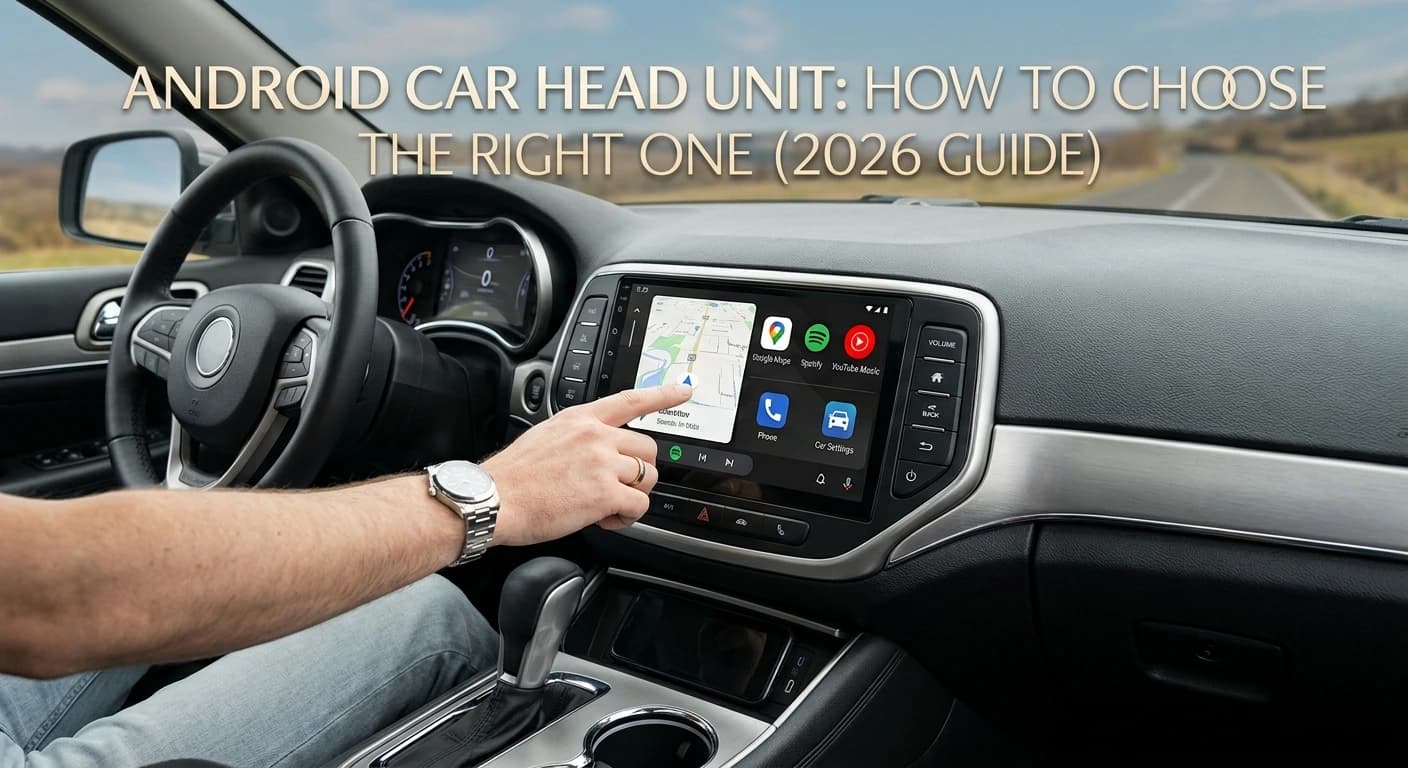
Thinking about upgrading your car with an Android head unit? It can make your daily drives more convenient with a larger screen, navigation, Bluetooth android Auto, Apple CarPlay and more.
The tricky part is finding one that actually works well with your car. Your car's model, year, factory stereo, wiring and built-in features can all affect compatibility. In this guide, we will cover the main things to check before you buy, so you can find the right Android car head unit without unnecessary hassle.
What Is an Android Car Head Unit?
An Android car head unit is basically a smart touchscreen stereo for your car. It runs on Android and can give you useful features like navigation, Bluetooth, Wi-Fi, music android Auto and Apple CarPlay.
Compared with a standard factory stereo, an Android head unit can offer a bigger screen, more features and more ways to customize your driving experience.
However, features can vary from one model to another. A more expensive head unit is not always the right choice for your car, so check compatibility before looking at extra features.
Step 1: Check Your Car's Compatibility First
Before you look at RAM, processor, or screen size, first make sure the head unit will work with your car. A unit can have great features but still not be the right fit for your vehicle.
Check these details before buying:
Car make and model
Model year
Factory stereo or screen
Dashboard opening
Factory amplifier
Steering wheel controls
Backup camera
CAN bus system
Wiring harness or adapter
For larger vehicle-specific Android head units, the screen size is only one part of the fit. The mounting frame, wiring, CAN bus and factory controls can also depend on your specific car.
If you're buying a vehicle-specific unit, always check the compatibility details for your make, model and year before ordering. This simple step can help you avoid installation problems and extra costs later.
Step 2: Choose the Right Screen Size and Display
Screen size affects both usability and how well the head unit fits your dashboard.
Traditional car stereos commonly use single-DIN or double-DIN openings. However, many newer Android systems use larger screens and vehicle-specific mounting designs.
When comparing displays, look at:
Screen size
Resolution
Touch response
Brightness
Viewing angles
Screen placement
Dashboard fit
A larger screen can make navigation and menus easier to see, but bigger is not always better. The display should suit your dashboard without blocking important controls or creating an awkward installation.
For vehicle-specific systems, the shape and mounting design can be just as important as the screen size.
Step 3: Check RAM, Storage and Processor
Hardware affects how smoothly an Android car head unit runs.
RAM
RAM helps the system handle multiple apps and tasks. More RAM can make switching between navigation, music and other apps smoother.
For everyday use, 4GB of RAM is a practical starting point. Models with more RAM can be useful if you regularly multitask or want a more responsive system.
Storage
Storage determines how much space is available for apps, maps, music and other files.
If you mainly use Android Auto or Apple CarPlay, you may not need a large amount of internal storage. If you plan to install apps directly on the head unit, additional storage can be more useful.
Processor
A capable processor helps menus, apps, navigation and other functions respond quickly.
Instead of choosing a unit based only on the processor name, consider the complete hardware combination. A balanced processor, sufficient RAM and suitable storage are more useful than one impressive specification on its own.
Step 4: Compare Connectivity Features
Connectivity is one of the main reasons drivers choose an Android car head unit.
Look for the features you actually use, such as:
Bluetooth
Wi-Fi
GPS
USB
Android Auto
Apple CarPlay
Wireless connectivity
Mobile hotspot support
Bluetooth is useful for hands-free calls and wireless audio. Wi-Fi can support internet-connected features and app use, while GPS provides navigation capabilities.
Not every head unit supports every connection method, so check the specifications before buying.
Wireless Android Auto and Apple CarPlay
If you use your phone for navigation, calls, music, or messages, wireless Android Auto or Apple CarPlay can make everyday driving easier.
You can connect your phone without plugging in a cable every time. However, make sure the head unit supports the wireless version you need and is compatible with your phone.
Step 5: Consider Audio Quality
A head unit is also an important part of your car's audio system.
If sound quality matters to you, check features such as:
Built-in amplifier
DSP
Equalizer controls
Audio outputs
Preamp outputs
Support for factory amplifiers
A DSP (Digital Signal Processor) can give you more control over sound tuning. This can be useful if you have upgraded speakers or want to adjust the audio to your preference.
If your vehicle already has a factory amplifier or premium audio system, compatibility is especially important. You may need the correct adapter or CAN bus integration to keep the original system working properly.
Step 6: Compare Price, Warranty and Support
Price should not be your only deciding factor.
Two Android head units may look similar on paper but offer different hardware, compatibility, build quality, software support and warranty coverage.
Before buying, compare:
Total price
Hardware specifications
Vehicle compatibility
Warranty length
Return policy
Installation support
Customer support
Included accessories
A cheaper unit may cost more in the long run if you need additional adapters or have difficulty resolving compatibility issues.
Step 7: Plan the Installation
Installation depends on the vehicle and the head unit.
Some systems are designed for relatively straightforward installation, while others may require additional wiring, adapters, mounting brackets, or CAN bus connections.
Before installation, confirm:
The unit physically fits the dashboard
The correct wiring harness is included or available
Steering controls can be retained
The factory camera is supported
The amplifier is compatible
CAN bus integration is supported when needed
If you are not comfortable working with vehicle wiring, professional installation can help reduce the risk of damaging components or losing factory functions.
Choosing the Right Type of Android Head Unit
Android head units come in different designs, so the best choice depends on your car, dashboard and how you plan to use the system.
Standard 2-DIN
A standard 2-DIN head unit is a practical choice if you want to replace your factory stereo with an Android touchscreen while keeping a familiar dashboard setup.
Best for: Cars with a traditional double-DIN stereo opening.
Standard 2-DIN Android Head Unit
A practical choice for cars with a traditional double-DIN stereo opening, offering an easy way to upgrade to an Android touchscreen with modern features.
Large-Screen Android Unit
A large-screen Android unit can give your dashboard a more modern look while making maps, controls and other features easier to see.
Best for: Drivers who want a bigger display for navigation, music, calls and media.
Large-Screen Android Head Unit
A great option for drivers who want a bigger display for navigation, music, calls and other everyday features while giving the dashboard a more modern look.
Vehicle-Specific Android Unit
Vehicle-specific Android head units are designed around particular car models. They can support features such as steering wheel controls, factory cameras, CAN bus functions and other original vehicle features.
Before choosing a vehicle-specific unit, always check your car's make, model and year to confirm compatibility
Best for: Drivers who want a closer fit with their car's dashboard and factory features.
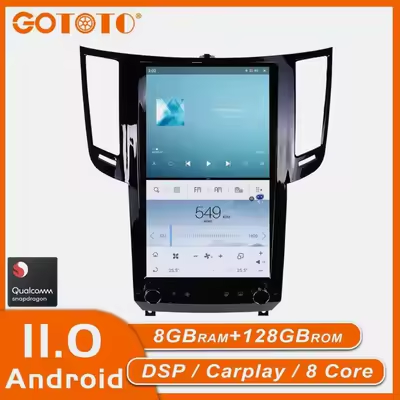
Vehicle-Specific Android Head Unit
Designed for specific car models, these units can offer a closer dashboard fit and better support for features like steering wheel controls, factory cameras and CAN bus functions.
Final Thoughts
Choosing the right Android car head unit does not mean picking the one with the biggest screen or the most features. The important thing is finding one that fits your car and gives you the features you actually need.
Start with your car's make, model and year, then check the screen, hardware, connectivity, audio features and factory controls. Also make sure you know what is needed for installation before you buy.
If you want a clean fit and better integration with your car's original features, a vehicle-specific Android head unit can be a great option. Just check the compatibility details carefully before ordering.
Frequently Asked Questions
It depends on your vehicle's make, model, year, dashboard opening, wiring and factory features. Check compatibility before buying.
For everyday navigation, music, calls and Android Auto or Apple CarPlay, 4GB of RAM is a practical starting point. Higher RAM can help with heavier multitasking.
Many Android head units support Apple CarPlay, including wireless versions on some models. Check the product specifications to confirm the exact feature before buying.